Virtual Assistant for Tesla
A virtual assistant designed for Tesla to empower people
having a personalized and streamlined experience inside and outside of the car.

Project Challenge
The challenge was to design a virtual assistant/multimodal interface for a vehicle in 2025.
Considering the current advancements in technologies, conceive a virtual assistant
or multimodal user interface in the automotive context with a focus on conversational user interface.
The Outcome
Designed for Tesla, the voice assistant guarantees users a better human-car interactions.
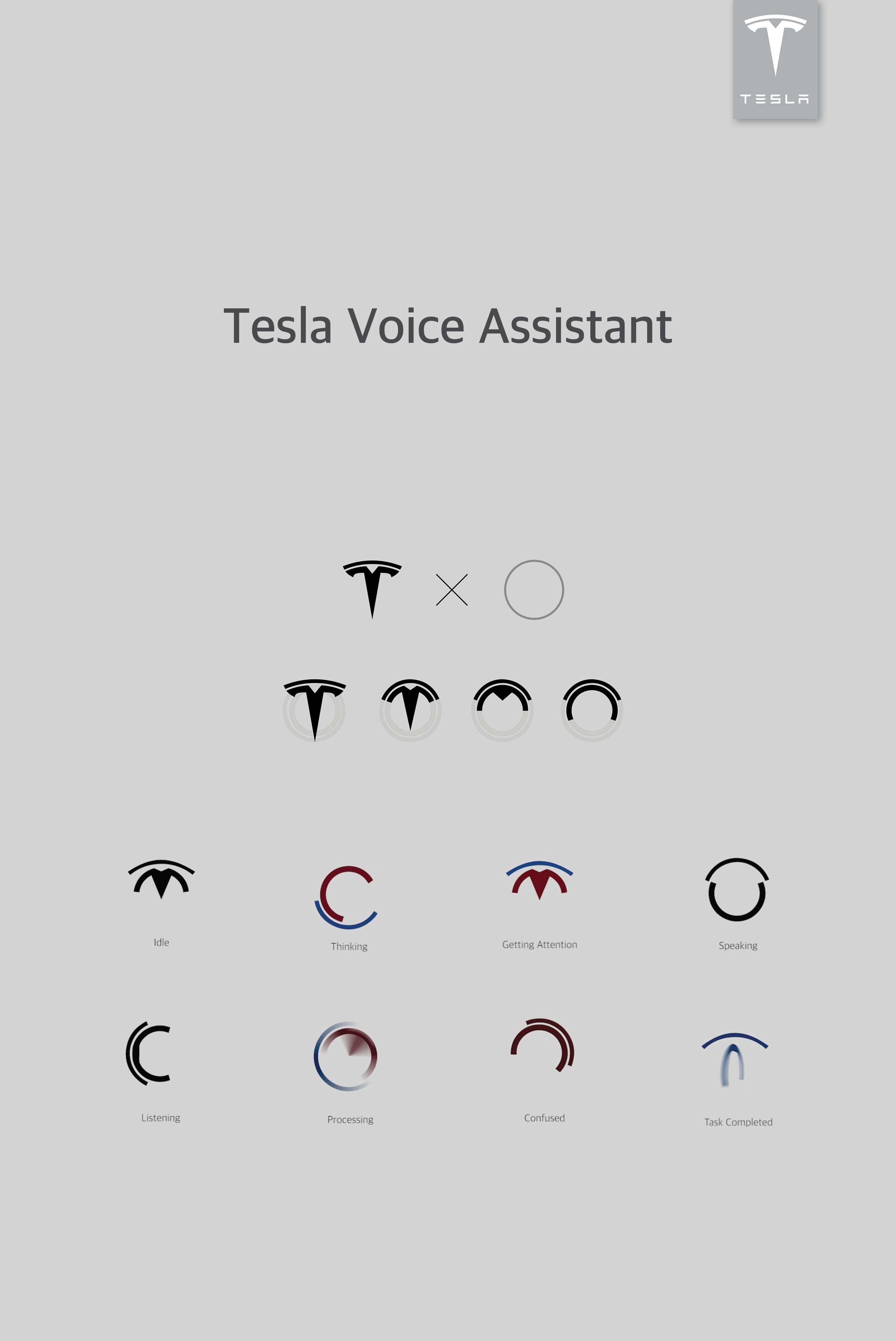
I. Various Expressive States
II. “Smart Reminder” of Story #1
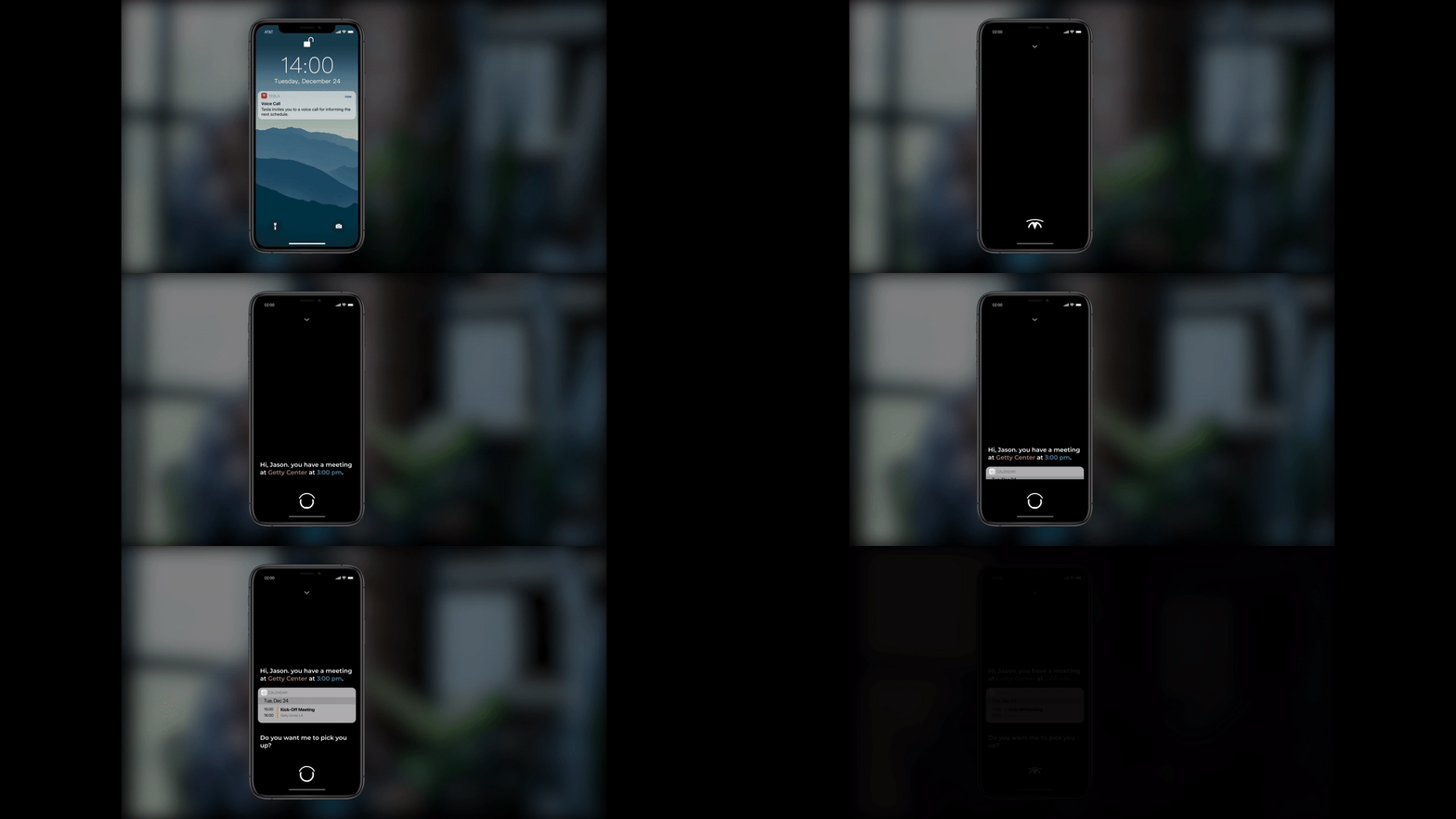
III. ”Flexible Pick-up Location” of Story #1
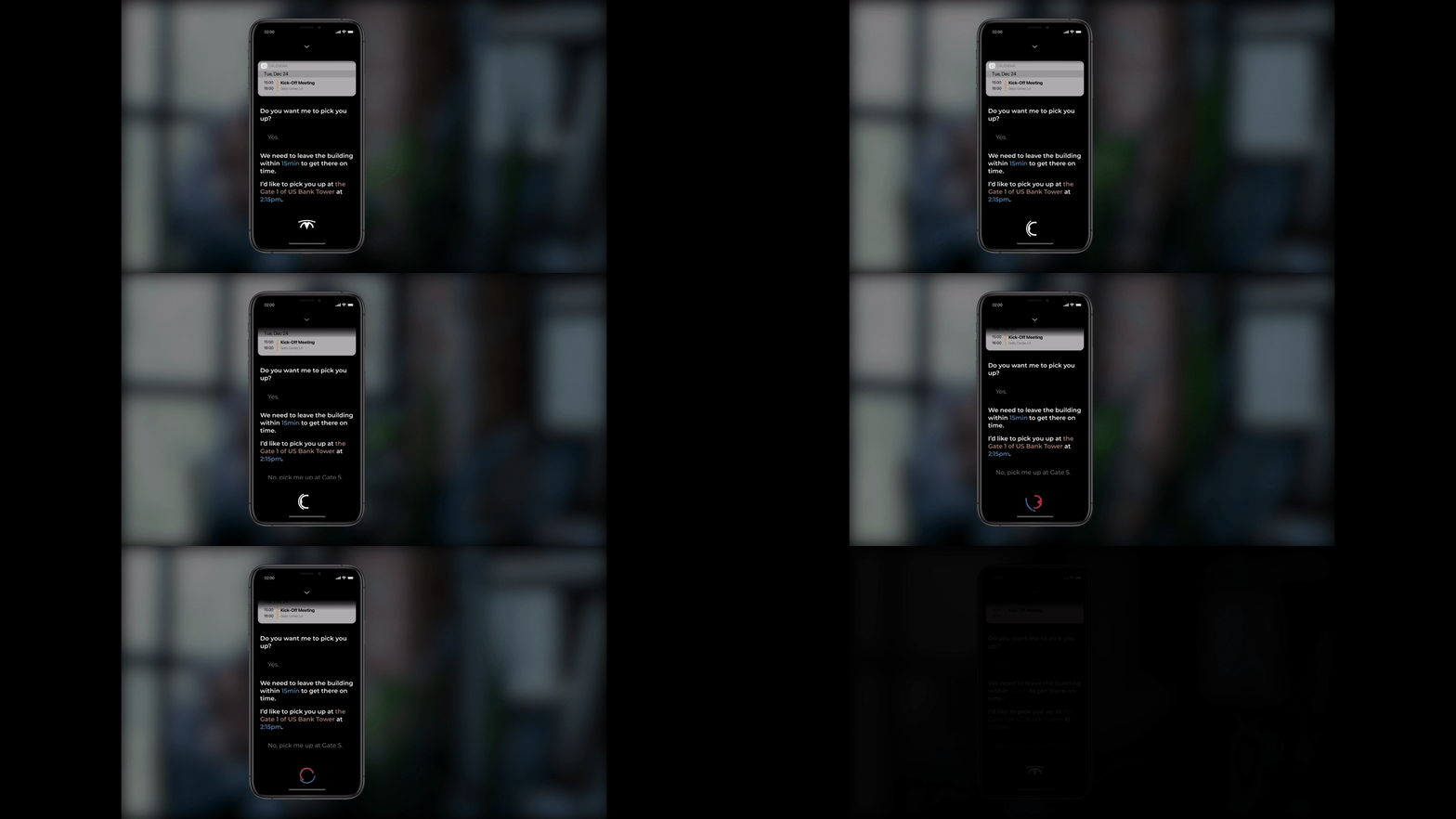
IV. ”Smart Pick-up” of Story #1
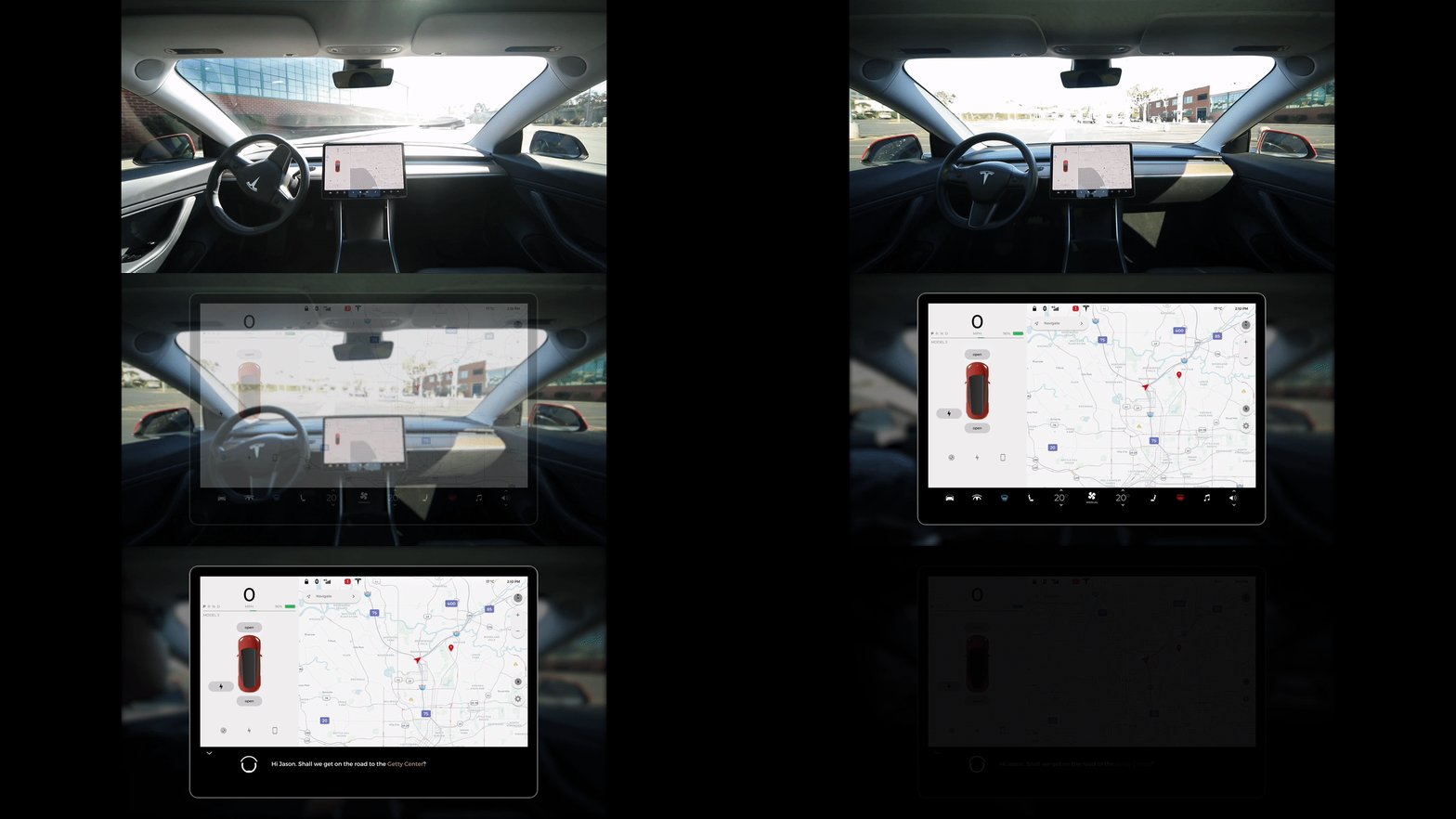
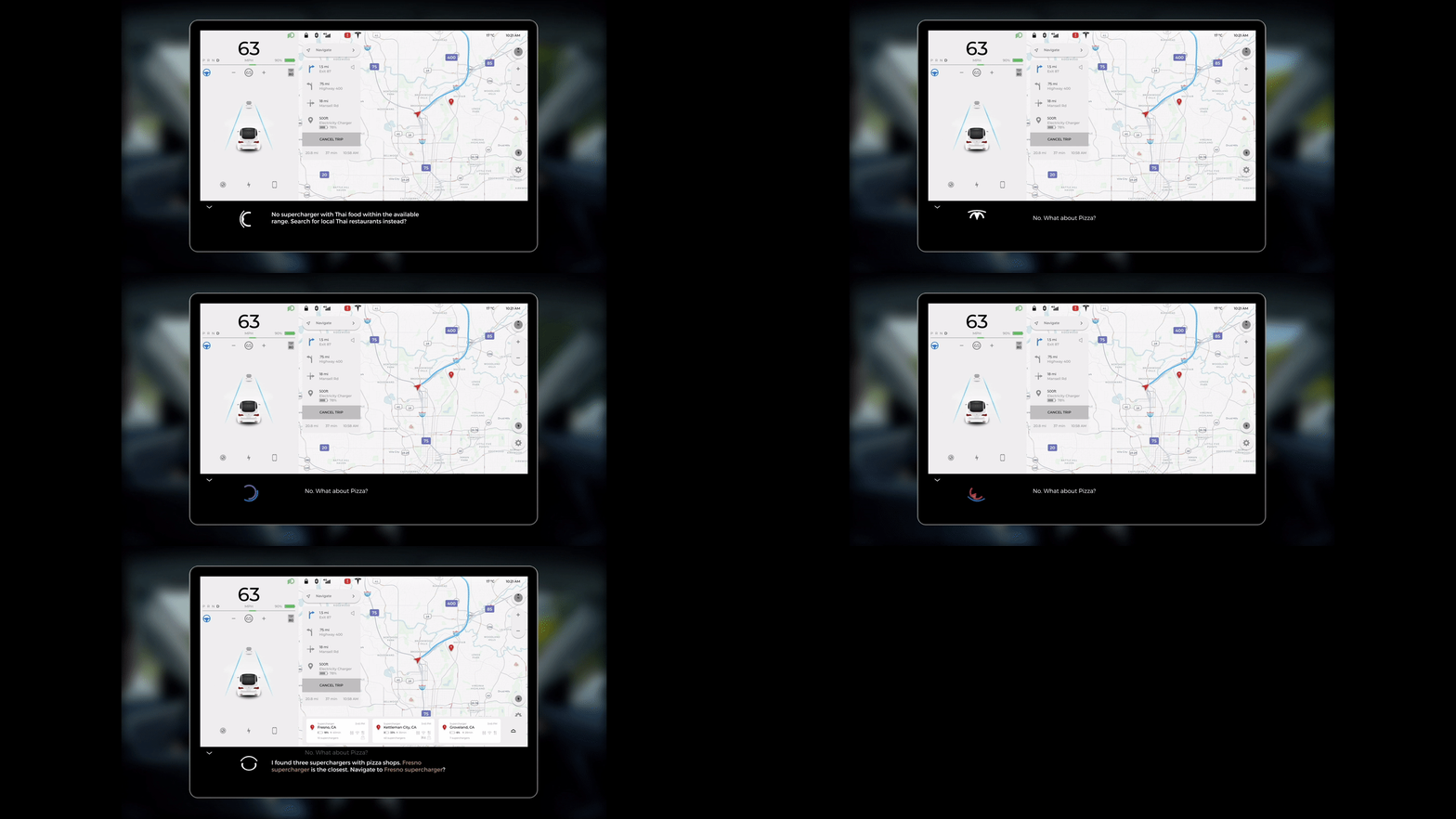
V. ”Smart Recommendation” of Story #2
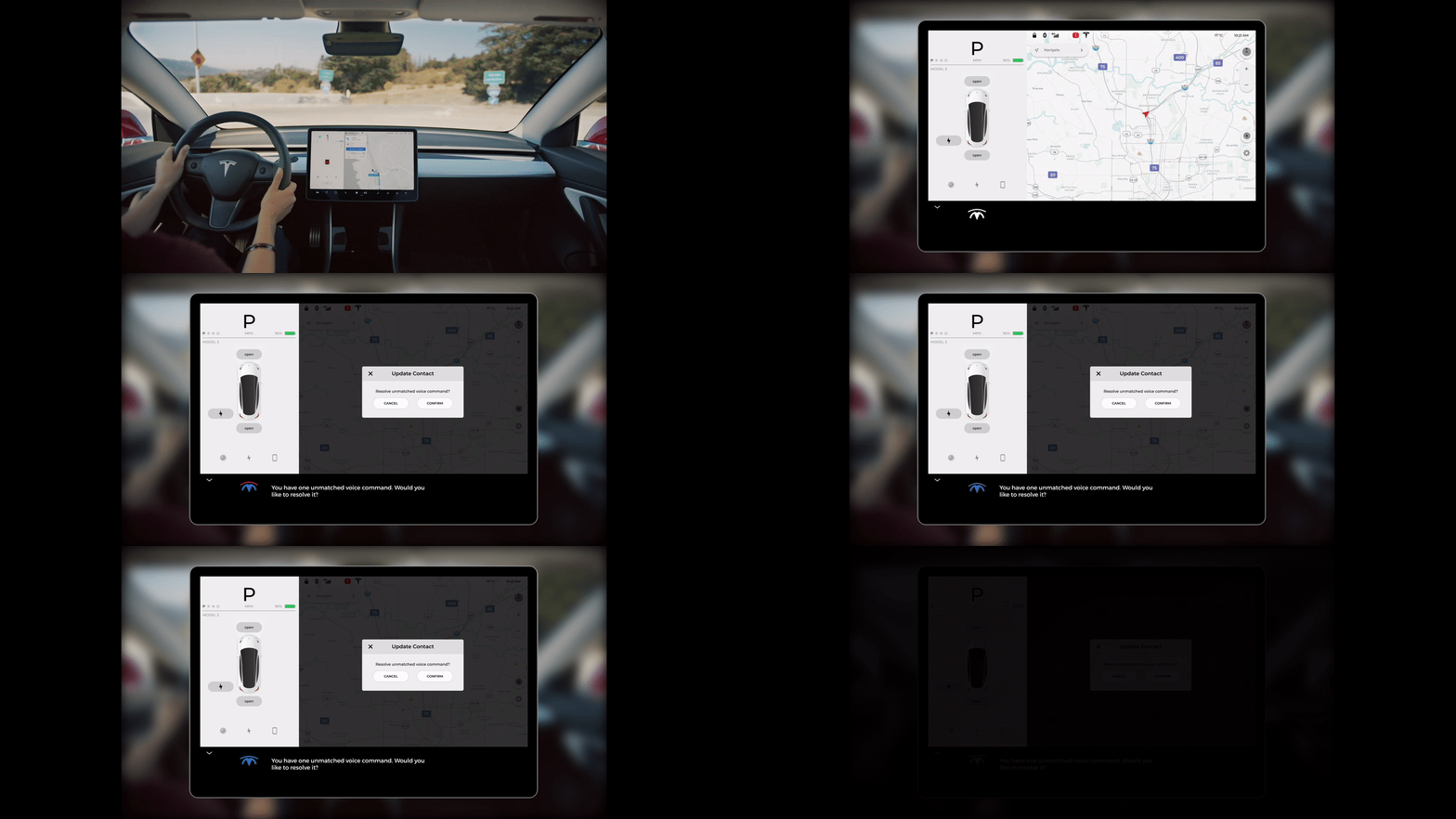
VI. ”Debug Unmatched Voice Commands” of Story #3
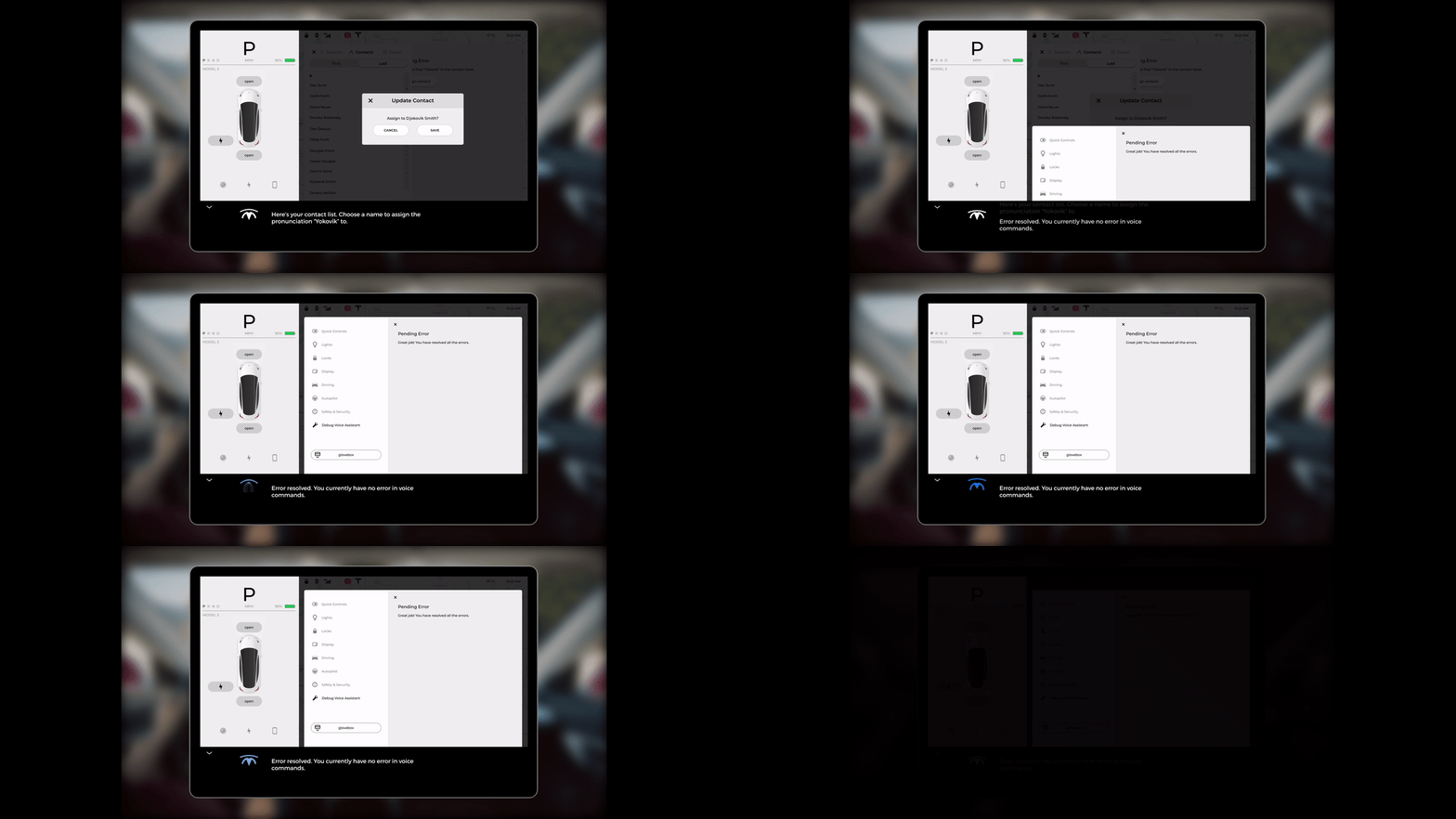
VII. ”Task Completed” of Story #3
Design Process

01. Defining the Problem Area
The first step was to understand use cases for automotive virtual assistant. Interacting with cars can be an incredibly diverse set of experiences. The way our team approached was sorting through the diversity was by breaking apart typical phases throughout the entire journey.
Taking this research into consideration, we graphed out a list of use cases based on how essential a voice interaction would be and how common that interaction would be while driving or riding in a car.
02. Choosing a Brand

Our group unanimously felt that autonomous driving would define the driving experience in the next 5–10 years, and in keeping with that assumption we wanted to choose a brand that had a defined strategy for autonomous mobility.
We came to consensus around Tesla, the Silicon Valley EV brand with a futuristic style and iconoclastic brand identity. They currently lead the market in miles of autonomous driving logged, and have regularly demonstrated that they have the software capabilities to handle development of a Voice Assistant along with their autonomous driving.
03. Understanding the Brand
Tesla is a relatively young company with a very brand-forward market strategy.
They are no strangers to media events, big reveals and a fairly detailed vision of the future of their company.
Moreover, it is one of a few automotive companies that have a robust UI framework alongside their physical designs.
In all its manifestations, brand image of Tesla is energetic , futuristic, but also surprisingly understated.
Being a young force in the industry, it seems Tesla’s brand has been mostly focusing on
building a core base of users and advocates. With the launch of the Model 3,
now is a key moment for Tesla to push beyond this core demographic as they tackle a broader user base.
Lastly, Tesla is a brand that has a history of surprise and delight.
While they do have some of the best attention to detail around the most frequent interactions a user has while driving, they also look for opportunities for fringe but memorable interactions.
04.Defining Personalities for Voice Assistant
To help guide some of the finer decision about our Conversational UI,
we thought it was important to have a general idea of the type of personality we evoke.
We knew that we wanted to keep our assistant in line with the Tesla brand, but knew there was more to think through. Our team went through an affinity mapping series, landing on the key terms:
Culturally Aware
Empathetic
Candid
05. Exploring Visual Expressions
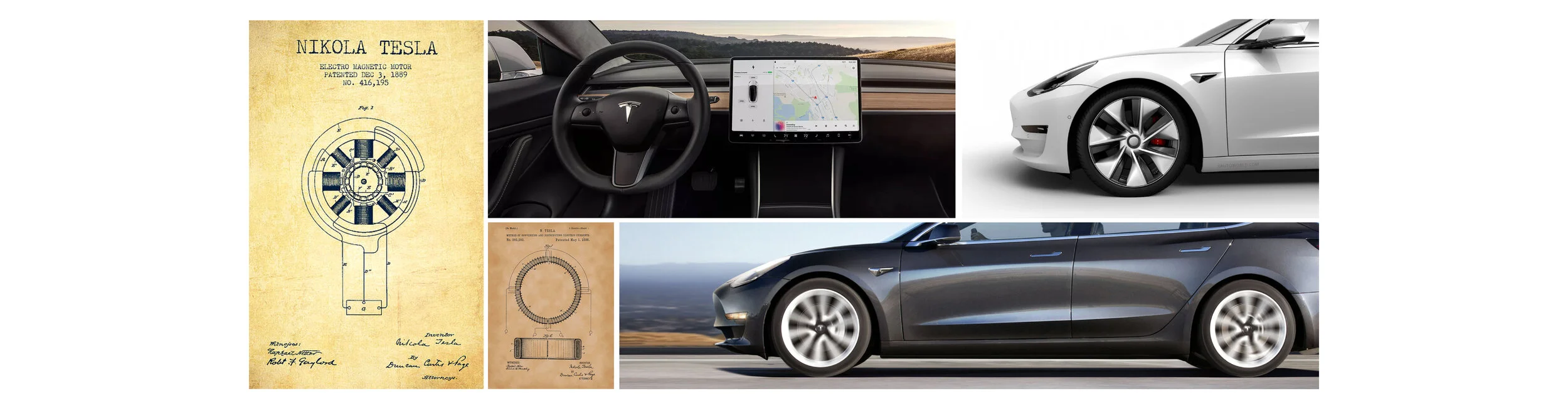
I. Digging into the Brand Image
II. Defining the “Visual Accent“
By exploring Tesla’s brand imagery, the design languages, and the patent drawings,
we came to an agreement that the “CIRCLE“ would be the perfect choice
for the “visual accent“ of our voice assistant.

III. Identifying the Key Statuses
When looking closely at the Tesla logo, we identified the subtle figure of the two concentric arches on the top.
So we recognized the potential transformation between the logo and two concentric circles,
then we ended up with the sketches below, which show the key status of the transformation,
while keeping the same amount of area throughout the whole process.

IV. Voice Assistant Motion Clips (1st Round)
The basic statuses being defined, we started to create sample motion clips
to deliver the expressions of typical statuses such as “speaking“ & “processing“.

Then we evaluated each expressional motion clips by deconstructing the key moments.
V. Getting Feedbacks
By presenting the sample motion clips and exploded diagram of each status, we collected a several main feedbacks from our users, cohorts, professors, and guest speakers.
“T” shape is too dominant.
Little diversity in personality (They share the same amount of energy).
Higher contrast of expressions among them would make it better.
VI. Iteration on 1st Round Design
Next, we re-evaluated the basic form,
and we decided to exclude the initial stages of the main body of the basic forms,
as the “T” shape is way dominant and not abstract enough.
The motion below shows how initial and final keyframes are being transformed.

VII. Voice Assistant Motion Clips (2nd Round)
After defining the refined basic statuses, we finalized 8 different statuses as shown below
by mixing and matching the different key frames, such as rotating, flipping, bouncing, swinging, etc.
The principle is that we want to make enough contrast to empower users to quickly identify each status at a glance.
So we tried to differentiate them by the energy level of the motion, various colors, the position.
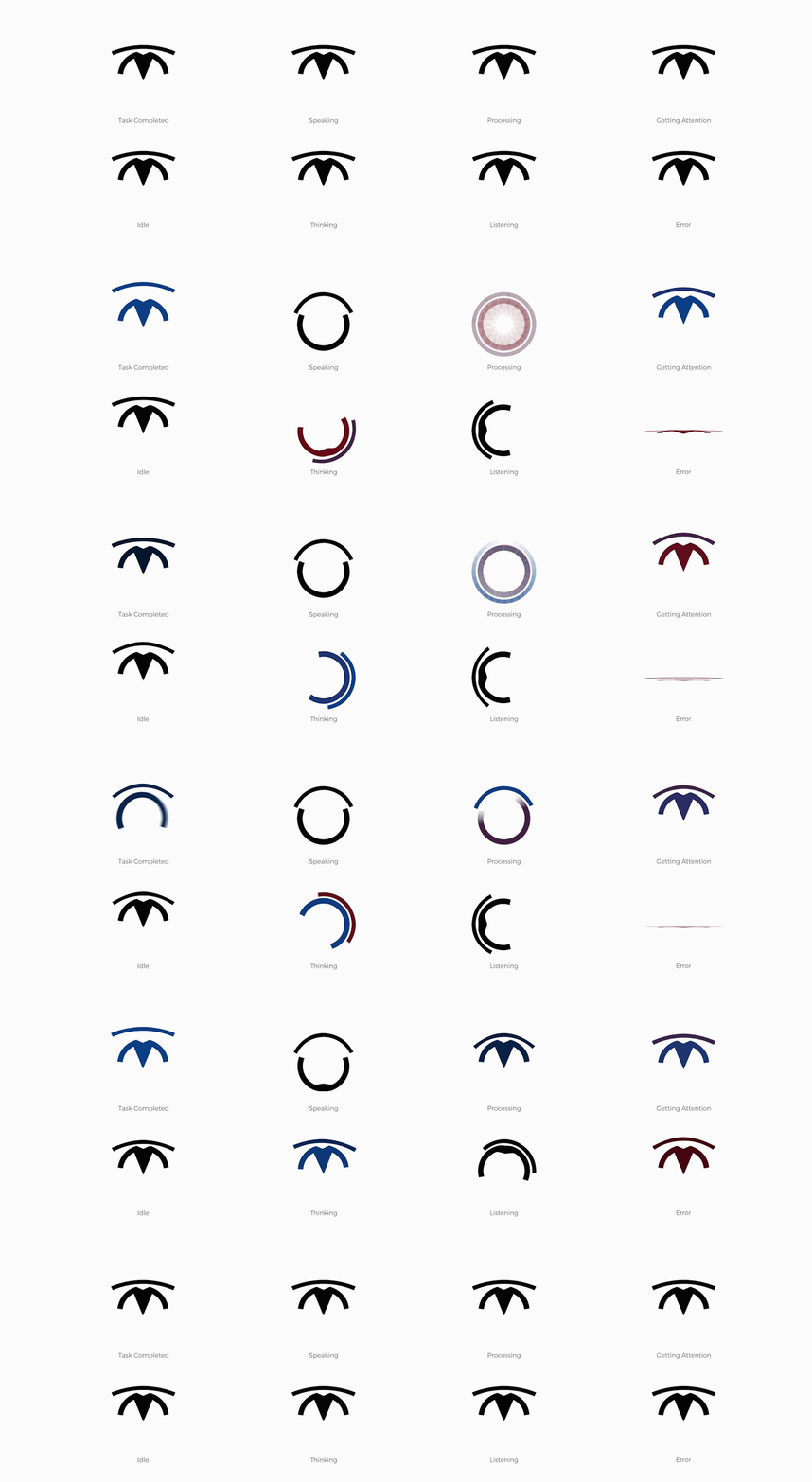
Each expressional motion clips are evaluated again by using the same method in the 1st round.
06. Setting Stages for Voice Assistant
I. Analyzing Current Design of “Model 3” Tablet

The current Voice Assistant is located on the bottom of left column along with rearview mirror adjustment controller and charger button.
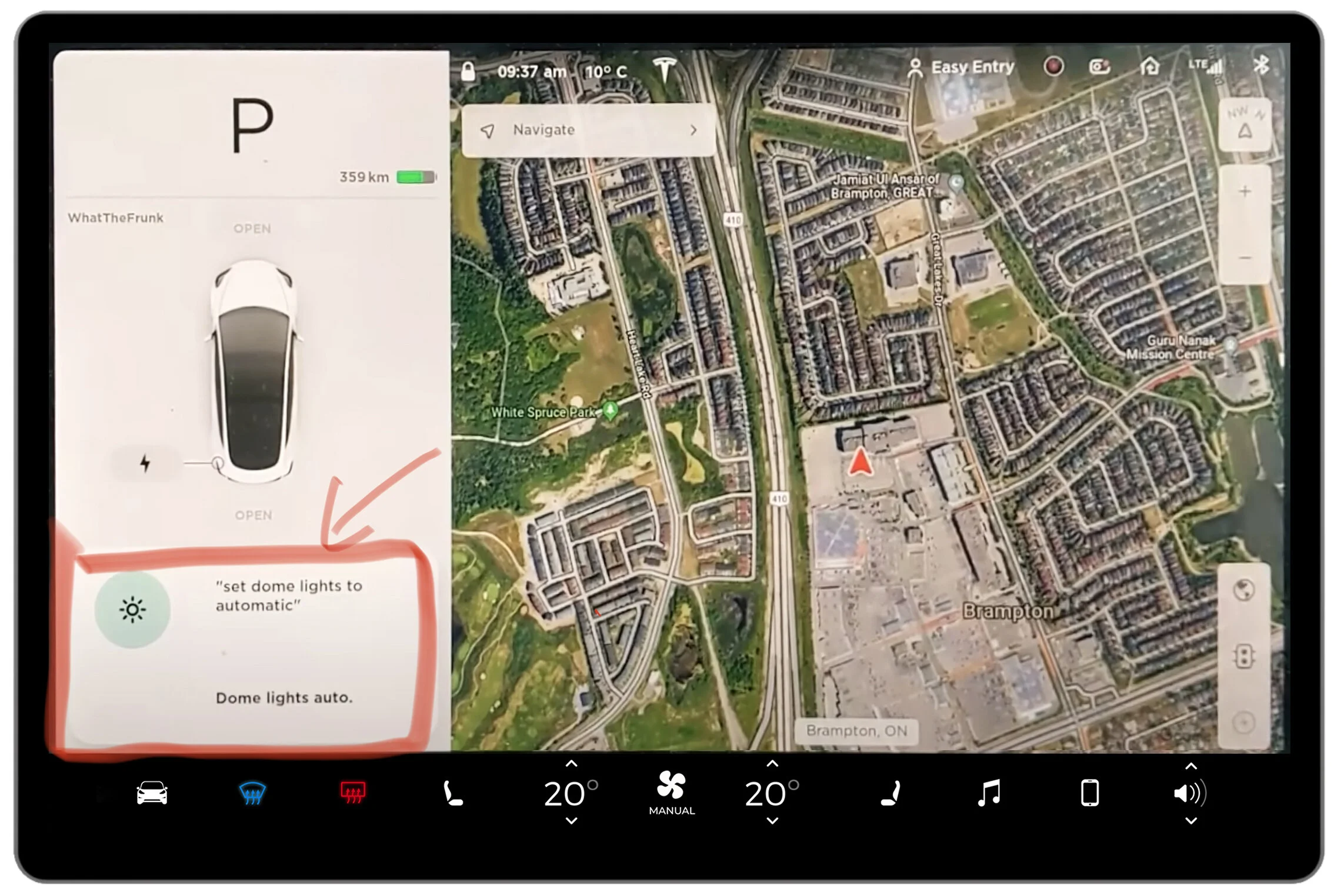
When triggered, it will be expanded as a box with various indicators and prompts.
II. Exploring Better Position for the Voice Assistant
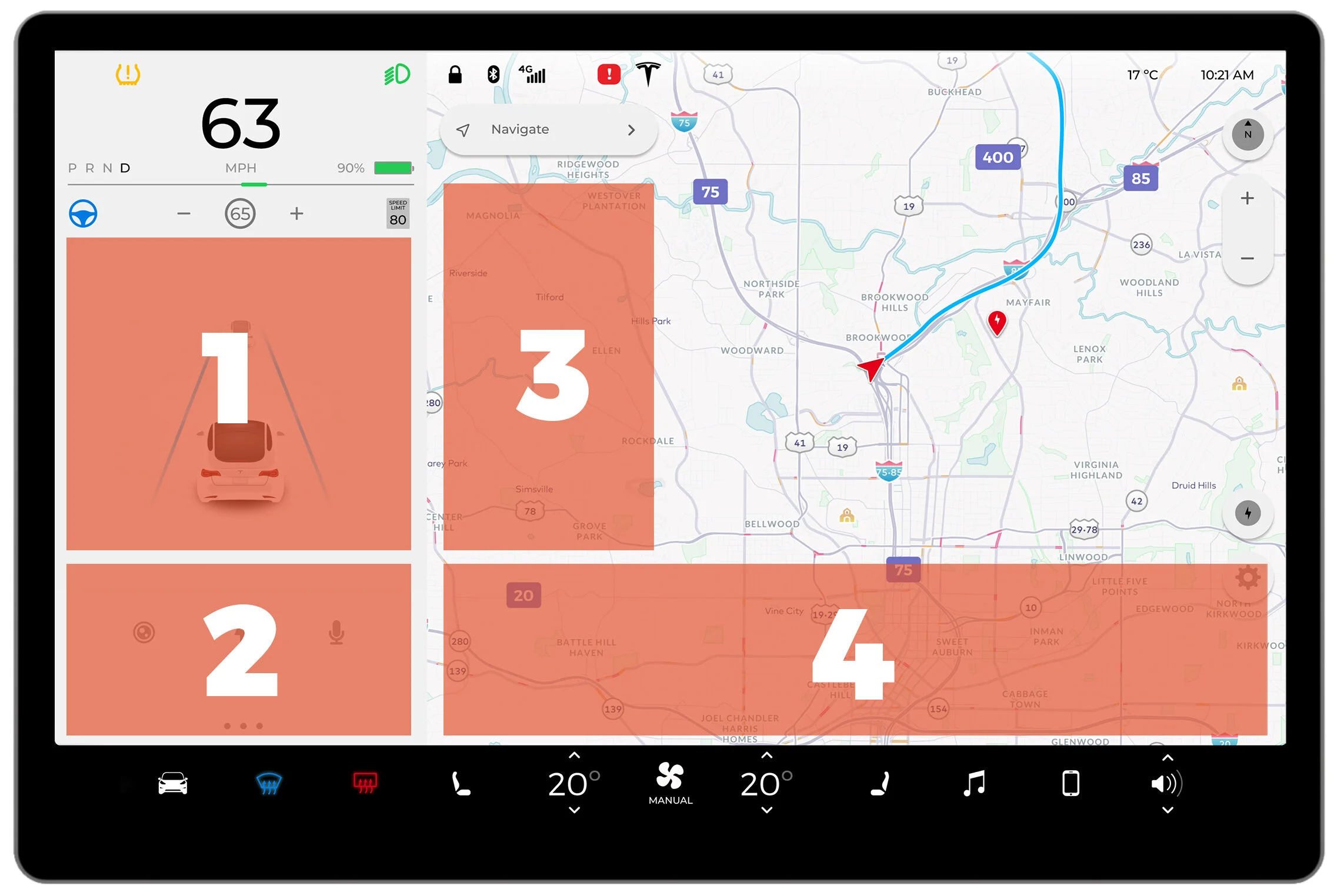
The four areas were the potential spaces of the Voice Assistant, but they sometimes would cover the essential part of the screen, sometimes do not create enough contrast to let it pop up, or the current location occupies so small area that can not contains enough messages.
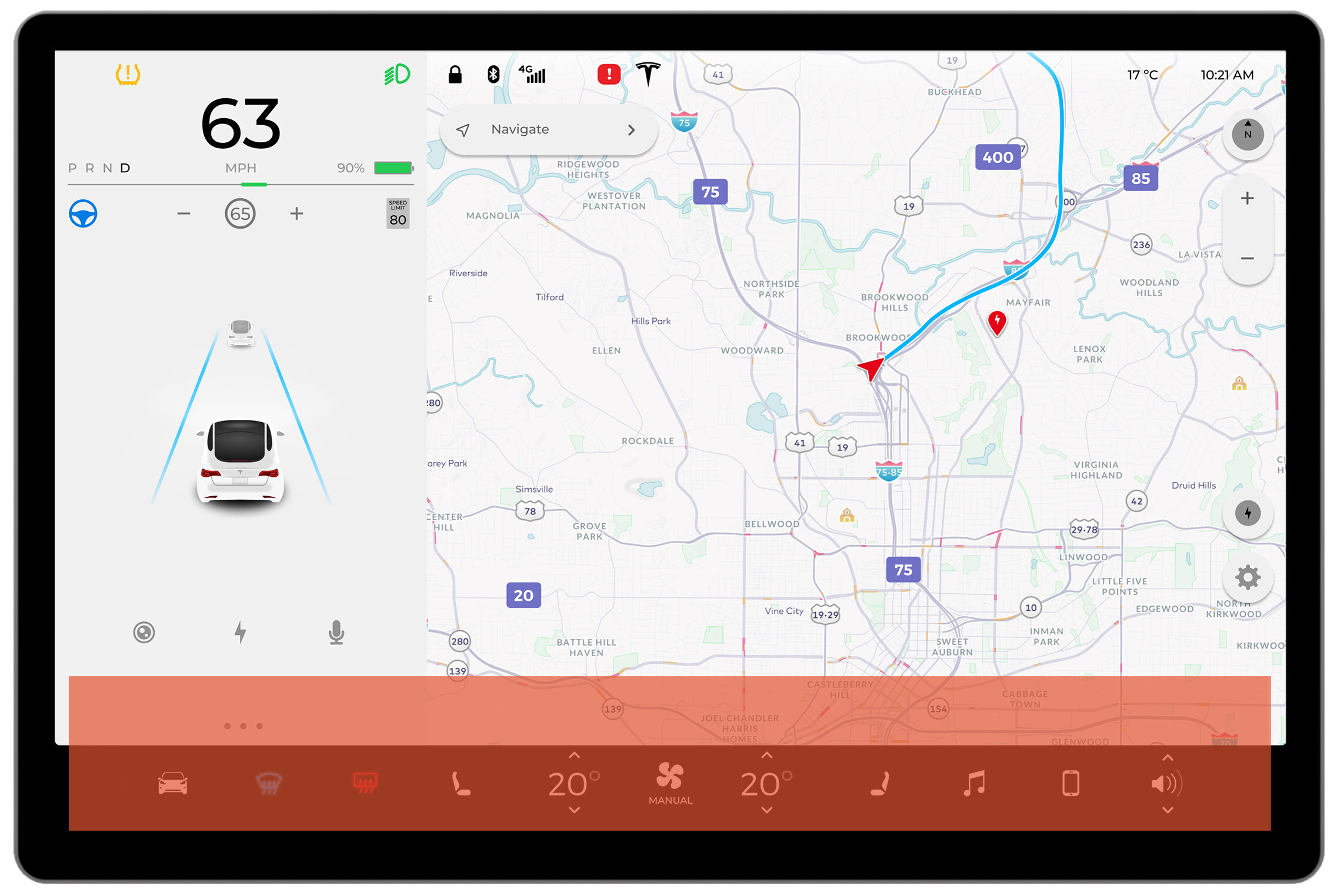
With abandoning the initial options, we discovered a hidden place where the tab bar is located and we found it would be the perfect choice as the new stage for our Voice assistant. As it has a widest area that can display the prompt of our voice assistant by not sacrificing the main display. Also, by locating upon the black background, the message can easily be detected by the users.
III. Crafting New Design
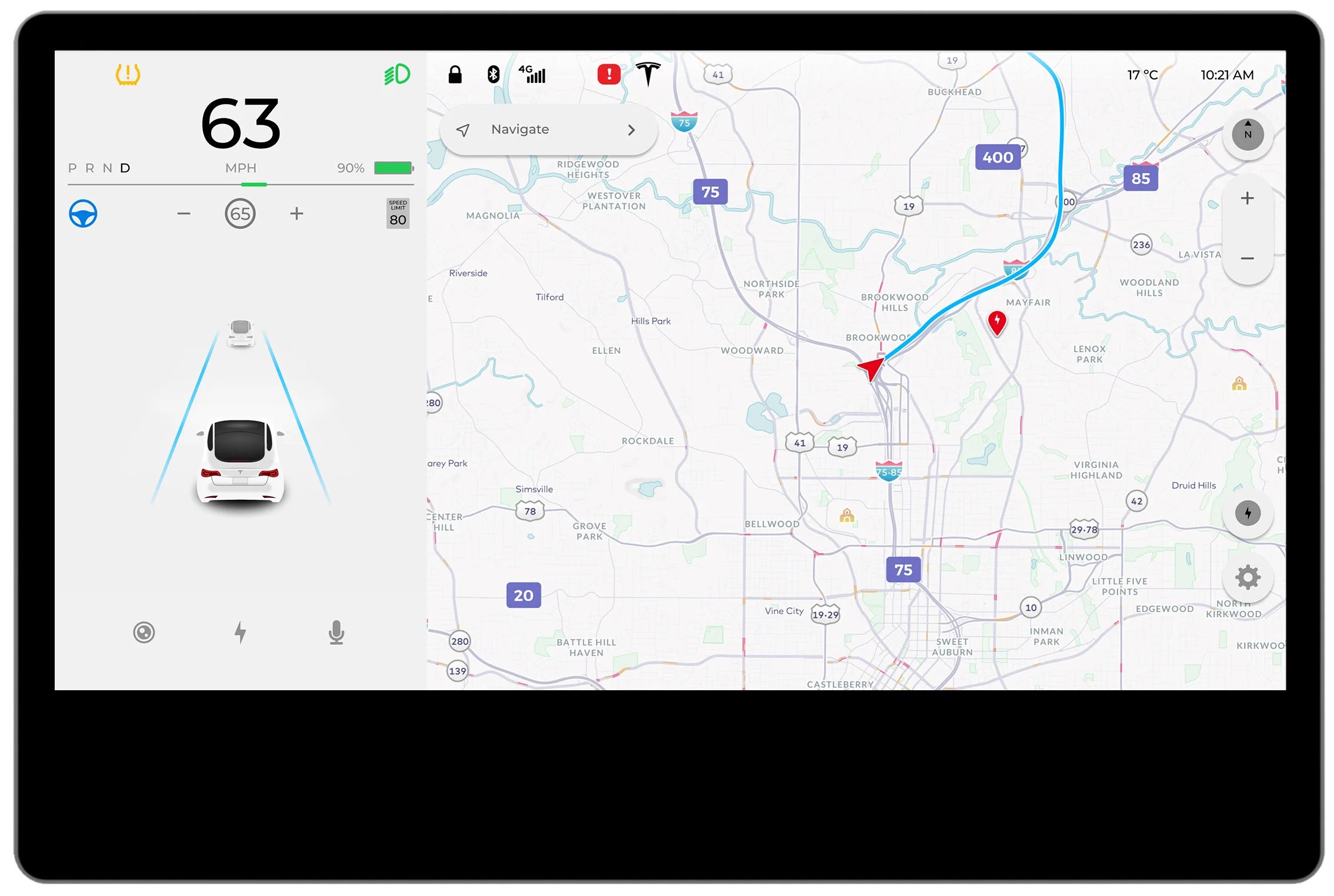
01. The bottom bar which would be expanded upwards when Voice Assistant is triggered is settled.
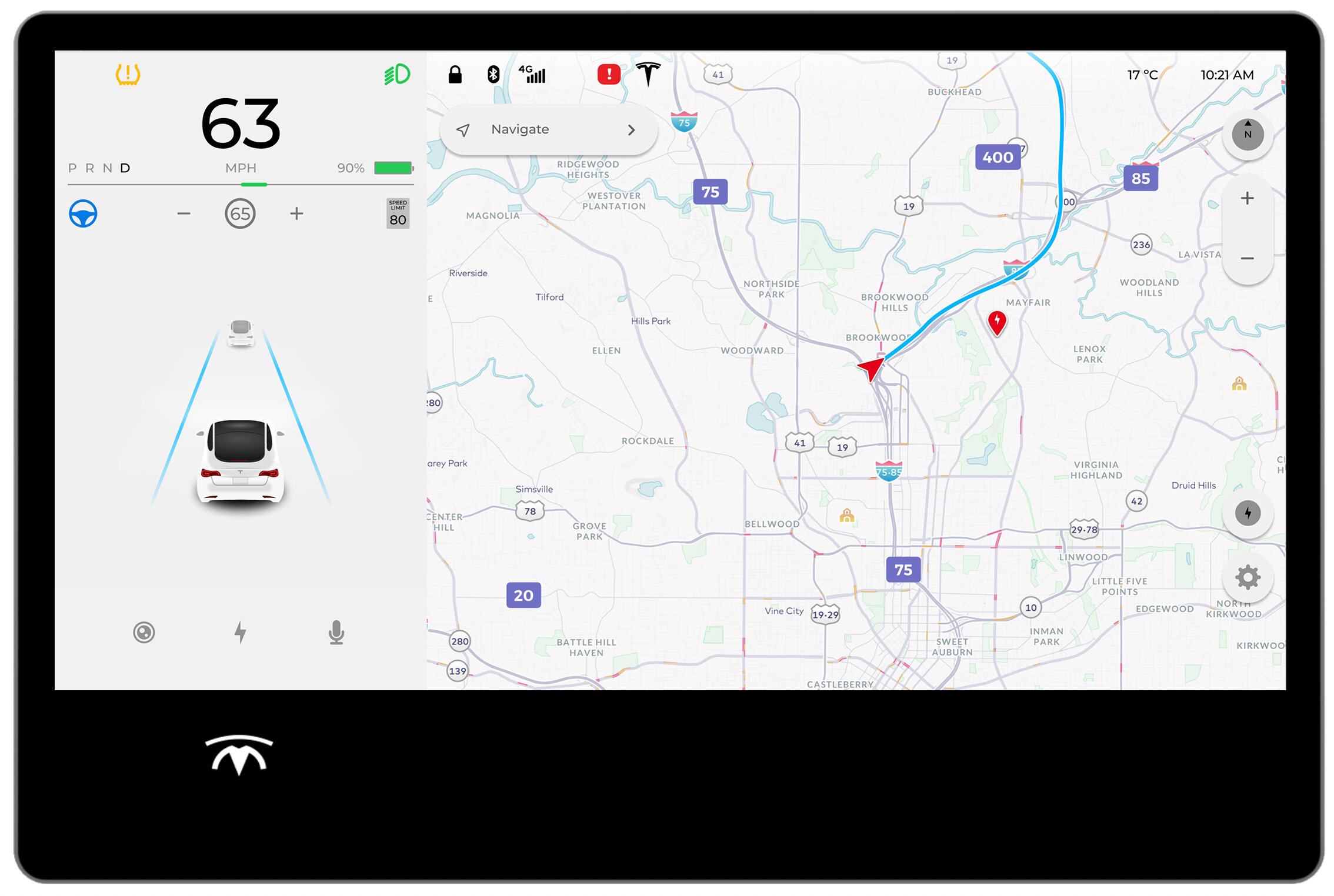
02. The icon of Voice Assistant is located on the left side to be aligned with the center of the left column.
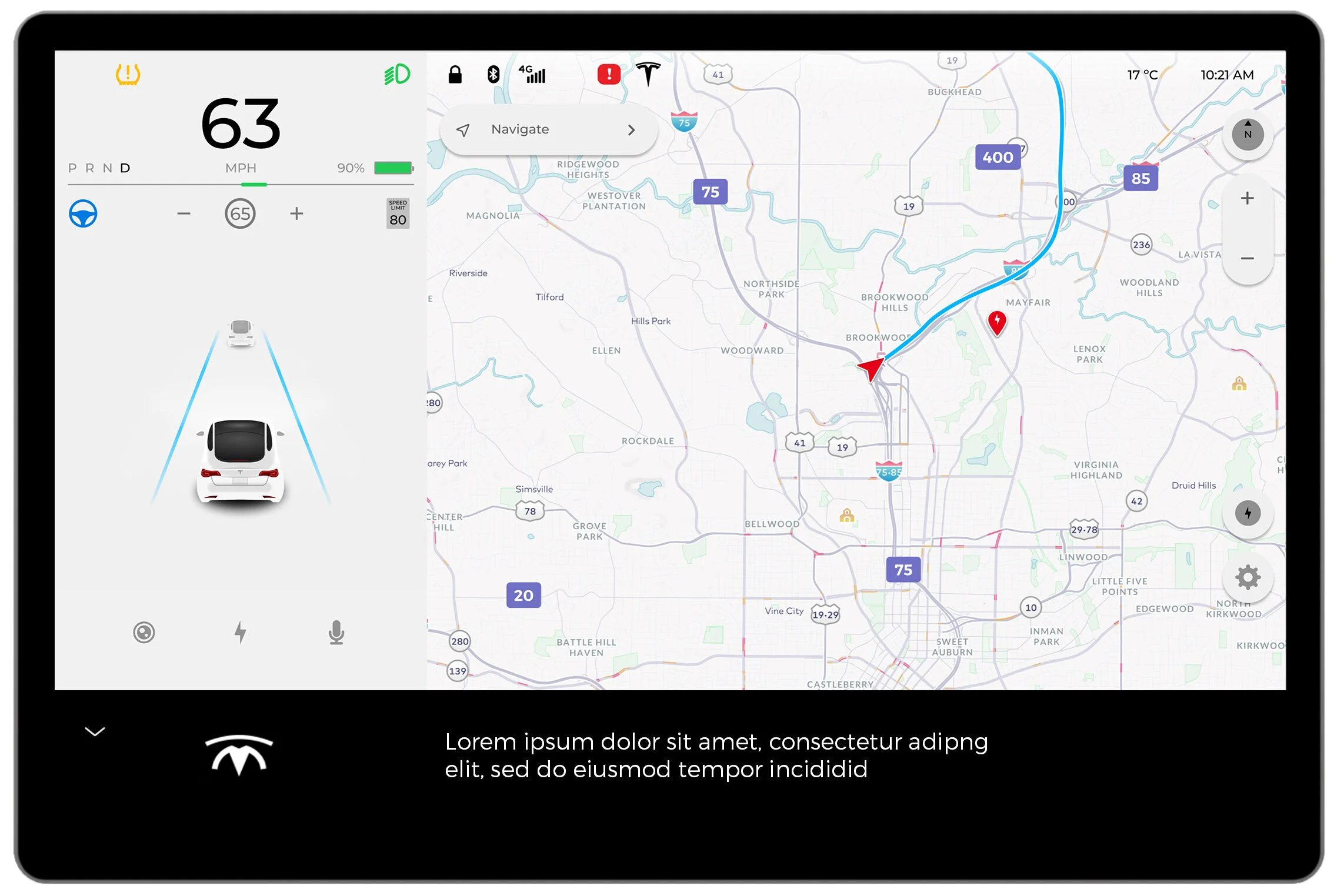
03. The prompt is displayed on the bottom center beside the Voice Assistant icon. And the dropdown button is located on the top left of the black bar for being able to access to the main menu bar.
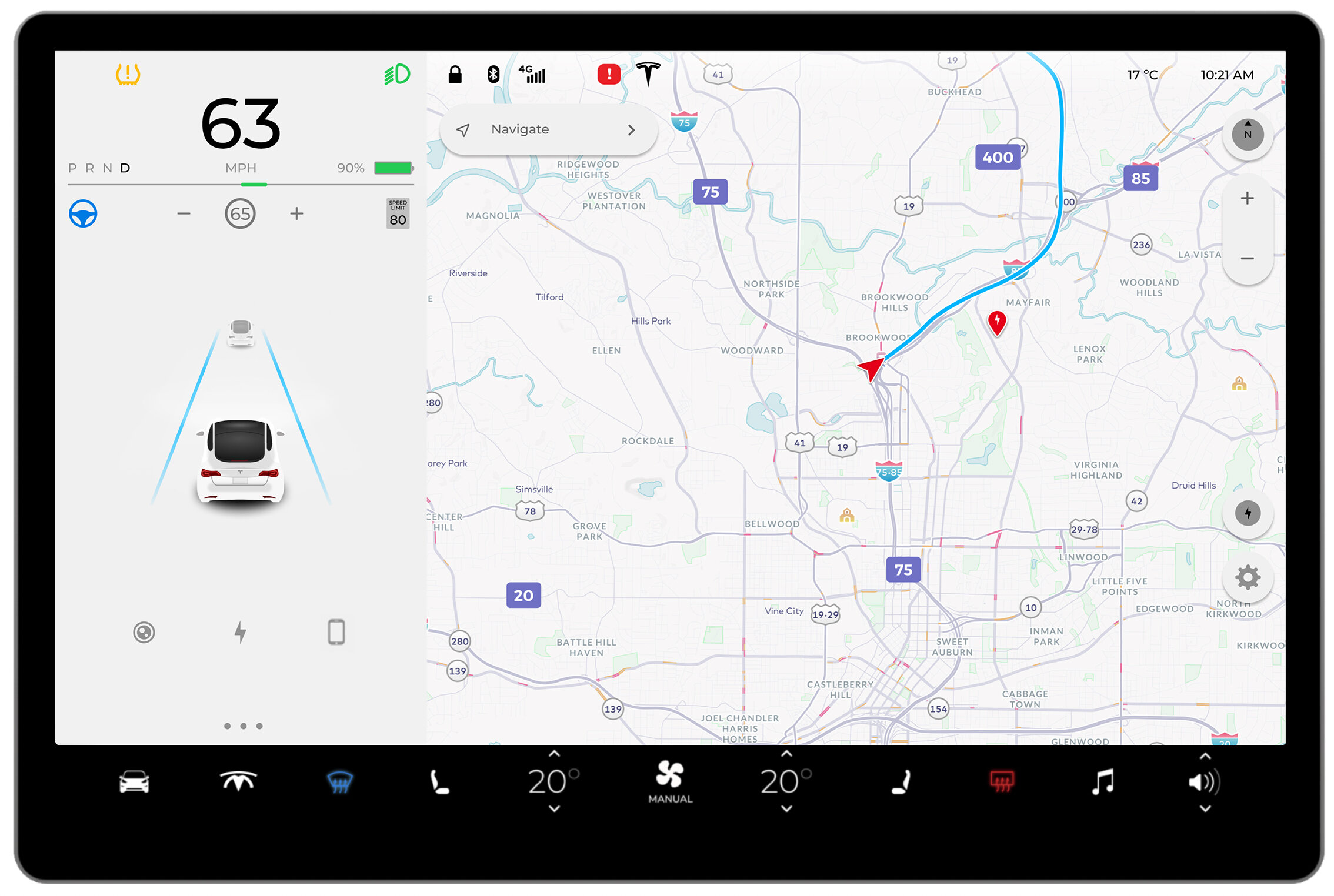
04. When being reset to the default menu, the Voice Assistant icon will be dwindled at the same spot to the same size of other icons on the main menu.
07. Directing the Film
I. Finding the Right Story
Taking into consideration our background research about the current and future capabilities of in Intelligent Voice Assistant,
our group wanted to identify scenarios that would achieve a few key aims.
To demonstrate voice as a key element to the interaction.
To fit with Tesla’s current brand, but not fall entirely in line with their current target.
To focus on storylines that incorporated the personalities we defined.
II. Creating the Scenarios
Scenario 1 : Smart Pick-up
Based on the users’ schedules, Tesla can call you ahead of time
to arrange the best time and pick-up location for the users’ next calendar event.
Scenario 2: Optimized Charging Planning
Tesla can help you choose the most optimized charging station
with the preference the users have such as the food choices and the entertainments.
Scenario 3: Debug Voice Commands
If Tesla fails to fulfill the users’ commands, they can help Tesla
understand users better by debugging the unmatched voice commands.